Yes. For almost anyone gaming or creating on a desktop or laptop GPU, undervolting is worth doing. It lowers the voltage your card runs at, which cuts heat, power draw, and fan noise, usually while keeping frame rates within a few percent of stock. On some cards it can even raise your average FPS. The only people who should skip it are those who never touch tuning software or whose card already runs cool and quiet.
Here’s what that means in practice, what you actually gain, what it costs, and who it’s not for.
What undervolting actually does to a GPU
Every GPU ships with a voltage curve set by the manufacturer, the exact relationship between clock speed and the voltage needed to hit it. That curve is set conservatively on purpose. Nvidia and AMD have to guarantee stability across every chip they sell, including the weakest ones from a batch (this is called binning), in cases with poor airflow, in hot rooms, and after years of use. Your specific card, unless you got unlucky, can usually hit the same clock speeds at a noticeably lower voltage than the factory default asks for.
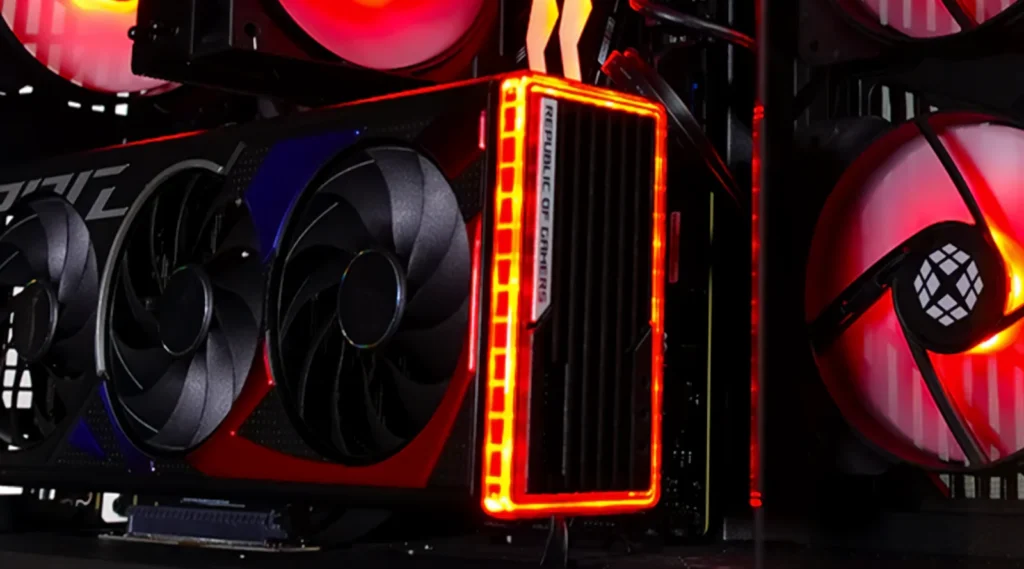
Undervolting means telling the card to use less voltage at a given clock speed. You’re not asking it to run slower. You’re asking it to do the same work with less electrical push behind it. Power draw scales with the square of voltage, so even a small voltage cut produces a disproportionately large drop in power and heat.
Should you undervolt your GPU? The direct verdict
For the large majority of GPU owners, yes. The reasons stack up cleanly: lower temperatures, quieter fans, lower power bills, and in many cases equal or better sustained performance, all for a tool that costs nothing and takes about 20 to 45 minutes to set up properly.
The trade-off is time and a small amount of testing. You need to find a stable voltage point through trial and error, and an overly aggressive setting can cause a driver crash or a black screen that clears on its own once you back the voltage off. That’s the entire downside for most users. There’s no hardware risk that outweighs the benefit for a typical gaming or creative workload.
What you actually gain from undervolting
The gains are consistent across tested cards, though the exact numbers depend on your specific GPU and how power-hungry it is at stock settings.
- Lower temperatures: independent testing on an undervolted RTX 4090 has shown temperature drops of several degrees Celsius at the same clock speed, which matters most on cards that already run in the high 70s or low 80s.
- Lower power draw: on a stock RTX 4090 pulling around 340 to 350 watts in games, a combination of undervolting and power limiting has cut draw by more than 110 watts while losing only about 8 percent performance, and some tuned configurations lose almost nothing.
- Quieter operation: less heat means your fan curve doesn’t need to ramp as hard, so the card runs quieter at the same workload.
- Occasional FPS gains on power-limited cards: the AMD RX 7800 XT and RX 9070 XT are two examples where undervolting frees up power headroom the card can spend on holding higher clocks for longer, rather than throttling down when it hits its power ceiling.
Power scales roughly with the square of voltage. A voltage cut that looks small on the slider, say 50 to 100 millivolts, often removes 50 to 100 watts of heat and power on a high-end card.
On laptops the payoff shows up differently: less thermal throttling during long sessions, and in some documented cases, extended battery life on battery power since the GPU is drawing less to hit the same performance target.
Does undervolting cost you performance?
A little, in specific situations, but usually not in the way people expect. Testing on the RTX 4090 found that cutting power by up to 20 percent produced less than a 1 percent difference in average frame rate across a mix of games, and even at nearly half the card’s rated power draw, performance dropped only around 8 percent.
The RX 7800 XT told a similar story when it was undervolted enough to cut around 40 percent of its power draw. Average frame rate across a batch of games dropped by roughly 9 percent, and in several titles the gap was closer to 4 or 5 percent. That’s a real cost, but it came from an aggressive cut chasing maximum efficiency rather than a balanced setting most people would actually run.
If you undervolt correctly, meaning you find the lowest stable voltage at your card’s existing boost clock rather than lowering the clock itself, you typically keep stock performance or come very close to it. The FPS loss shows up mainly in short benchmark bursts and only becomes noticeable if you push the voltage cut aggressively enough to also start capping the boost clock.
What are the real risks?
The worst realistic outcome from an unstable undervolt is a driver crash, a screen flicker, a visual artifact, or a full system freeze that needs a restart. None of these cause lasting damage to the card. The GPU either runs the workload correctly at the voltage you’ve set, or it doesn’t have enough voltage to stay stable and the driver or the operating system catches the error and recovers.
This is fundamentally different from overclocking, where you’re pushing the chip beyond its rated speed and asking for more voltage and more heat than the factory default. Undervolting moves in the opposite direction. You’re staying within, or below, the voltage the manufacturer already validated as safe. There’s no meaningful wear-and-tear risk from running a modern GPU at a lower voltage; if anything, lower voltage and lower operating temperature reduce the thermal stress that shortens the life of solder joints and capacitors over years of use.
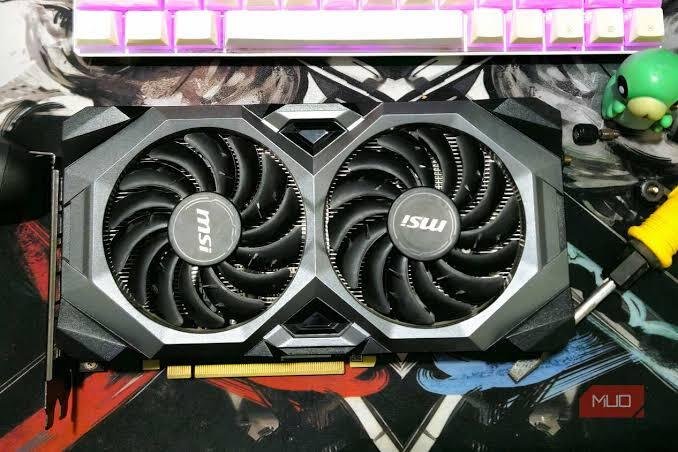
The one habit worth building is testing your setting properly before you trust it. Run a stress test or a demanding game for 15 to 30 minutes after changing anything, and watch for crashes or artifacts rather than assuming a value you copied from someone else’s card will be stable on yours. Silicon quality varies chip to chip, so a setting that’s rock solid on one card can be unstable on another, even the exact same model.
Does it void your warranty?
No. Neither Nvidia nor AMD publishes a policy that treats a software voltage adjustment as grounds to void your warranty. Warranty claims cover hardware defects, not settings made through official or manufacturer-sanctioned tools. Both companies build tuning access directly into their own software, the NVIDIA app’s performance tab and AMD’s Adrenalin software, and there’s no practical way for a manufacturer to detect after the fact that a card was ever run at a different voltage curve, since the setting lives in software and resets the moment you reinstall drivers or reset the profile.
This is a different situation from something like removing a cooler and voiding a physical seal, or physically modifying the board. A voltage curve change through the NVIDIA app’s performance tuning tab or third-party tools like MSI Afterburner falls squarely within normal use.
Who benefits the most from undervolting?
Owners of high-power cards (RTX 4080/4090, RTX 5080/5090, RX 7900 XTX) where stock power draw and heat are highest, so there’s the most headroom to reclaim.
Laptop owners, where thermal throttling during long sessions is common and a quieter, cooler machine is worth more than a few extra frames at the ceiling.
Anyone running a small or poorly ventilated case, where lower heat output directly reduces overall system temperature.
People who leave a GPU under sustained load for long stretches, such as AI inference, rendering, or long streaming sessions, where lower power draw adds up on the electricity bill over months.
Power-limited AMD cards like the RX 7800 XT or RX 9070 XT, where undervolting can translate directly into a small but real FPS gain.
Who can skip it?
If your card already runs cool and quiet under full load, say under 65 to 70 degrees Celsius with fans you don’t notice, the upside is smaller and mostly theoretical. The same goes if you have no interest in spending 20 to 30 minutes testing stability and would rather leave every setting untouched. There’s no downside to leaving a GPU at stock, and undervolting is an optional efficiency tweak, not a fix for a card that’s otherwise working fine.
How is it actually done?
The process is the same shape on every card: open a tuning tool, find the point on the voltage-frequency curve where your card currently boosts, pull that point down to a lower voltage while keeping the same clock speed, then stress-test to confirm it holds. On Nvidia cards, MSI Afterburner’s curve editor is the standard tool, and the NVIDIA app now includes a simpler automatic tuning option in its Performance tab for anyone who wants a safer, guided first pass. On AMD cards, the built-in Adrenalin software handles it directly through a negative voltage offset in the tuning panel, no third-party tool required.
A full walkthrough with exact settings depends heavily on which specific GPU you own, so it’s worth searching your exact card model alongside ‘undervolt settings’ once you’re ready to start, rather than copying a number meant for a different chip.
Frequently asked questions
Is undervolting safe for my GPU?
Yes. The worst outcome from an unstable setting is a crash or driver reset, which clears once you lower the voltage again. It causes no lasting damage and involves less thermal stress than stock operation.
Will undervolting lower my FPS?
Barely, if set up correctly. Tests on cards like the RTX 4090 show under a 1% drop from a moderate undervolt, with losses only becoming noticeable under very aggressive power cuts.
Does undervolting void my GPU warranty?
No. Neither Nvidia nor AMD treats a software voltage adjustment as grounds to void a warranty, since it’s made through their own or manufacturer-sanctioned tuning tools.
Is undervolting the same as underclocking?
No. Underclocking reduces clock speed directly, which lowers performance. Undervolting keeps the same clock speed but reduces the voltage needed to reach it, so performance usually stays the same.
How much power does undervolting actually save?
It depends on the card, but tested results range from about 50 watts on a mid-range GPU to over 100 watts on a high-end card like the RTX 4090, at close to the same performance.
Conclusion
Undervolting is one of the few PC tweaks that carries almost no downside. It lowers your GPU’s temperature, noise, and power draw, and it costs you little to no real-world frame rate when set up correctly. The only real requirement is a bit of patience to test for stability. For most gamers, creators, and laptop owners, especially those running powerful or power-limited cards, it’s worth the half hour it takes to set up.
Related Post:
What the DaVinci Resolve GPU Configuration Warning Means (and How to Fix It)
“System Is Out of GPU Memory” in Blender: Why It Happens and How to Fix It
GPU Utilization at 100%: When It’s Normal and When It’s Not
What Is a Good GPU Clock Speed in MHz?
Fix GPU memory leak [Forge/Fabric]: what it does and how to install it