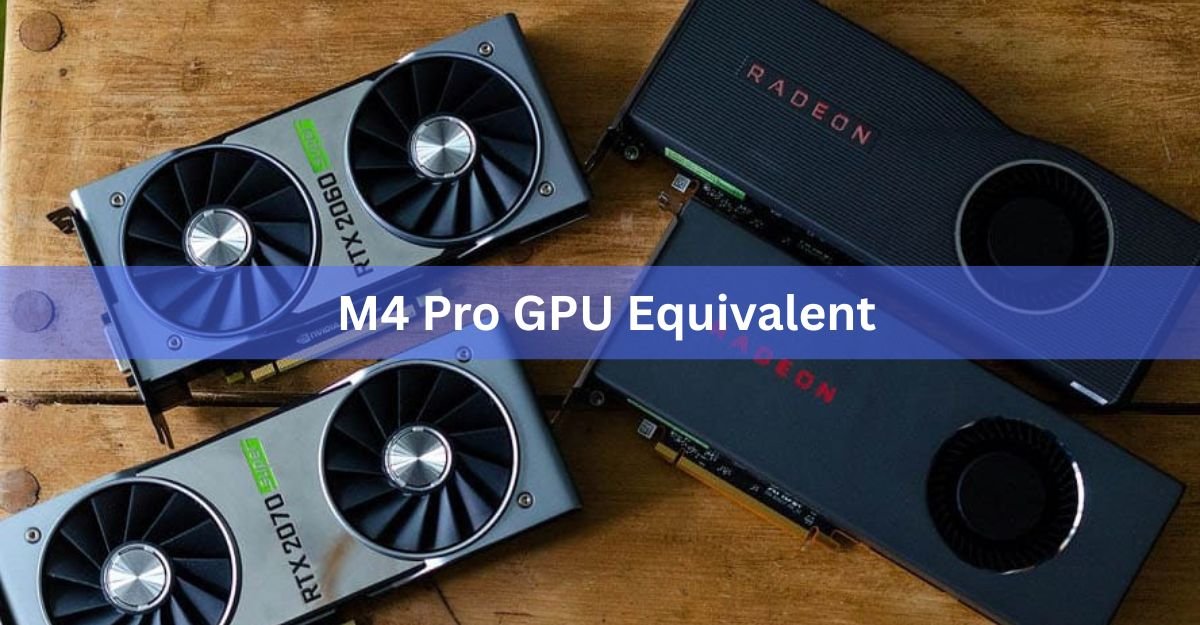
The Apple M4 Pro’s 20-core GPU performs roughly like a laptop NVIDIA RTX 4060 to RTX 4070, and on the desktop side it sits between an RTX 4060 and an RTX 4060 Ti. The exact match depends on the job. In rendering and 3D benchmarks it can trade blows with a 4070-class card, but in native gaming it usually lands closer to a 4060.
That split matters. A single “it equals an RTX 4060” line hides the fact that the M4 Pro is a strong creative-work GPU and a middling gaming one. Below is the honest picture, broken down by the kind of work you actually do.
What’s the short answer?
For a quick anchor, the M4 Pro 20-core GPU delivers around 9.2 TFLOPS of FP32 compute. In Cinebench and Blender-style rendering tests it lands between a mobile RTX 4060 and RTX 4070. In synthetic 3D scores it can even reach a laptop RTX 4070. But because most Mac games run through a translation layer instead of native code, real gaming frame rates drop back to roughly GTX 1660 Ti or RTX 4050 territory.
Rule of thumb: think “laptop RTX 4060-to-4070” for creative work, and “laptop RTX 4050-to-4060” for gaming.
16-core vs 20-core: know which M4 Pro you have
The M4 Pro ships in two GPU sizes, and the gap between them is small but real. The chip in the cheaper Mac mini and base MacBook Pro config uses 16 GPU cores. The higher-end config uses 20 GPU cores alongside two extra CPU cores.
The 20-core version is about 7 to 15 percent faster in graphics. Both share the same 273 GB/s memory bandwidth and the same equivalents, so the 16-core simply slides a notch lower: closer to a solid RTX 4060 than a 4070. When people say “M4 Pro GPU,” they usually mean the 20-core one.
M4 Pro GPU specs at a glance
Here are the numbers that drive the comparison, pulled from Apple’s own figures and independent testing.
| Spec | M4 Pro (20-core GPU) |
|---|---|
| GPU cores | 20 |
| FP32 compute | ~9.2 TFLOPS |
| Memory | Up to 64GB unified (shared with CPU) |
| Memory bandwidth | 273 GB/s |
| Process node | 3nm (TSMC, 2nd gen) |
| Typical GPU power draw | ~25-32 W |
| Ray tracing | Yes, hardware accelerated |
The standout there is power. The M4 Pro hits 4060-class results while pulling around 30 watts. A laptop RTX 4060 can draw 115 watts, and a desktop one draws more still. You can read the full chip details on Apple’s M4 Pro newsroom page.
Which desktop GPU does the M4 Pro match?
On the desktop side, the M4 Pro 20-core GPU generally sits between an RTX 4060 and an RTX 4060 Ti. In compute-heavy and rendering benchmarks it can edge past the plain 4060. In raw native gaming, a real desktop 4060 still pulls ahead because it has dedicated fast memory and far more power to spend.
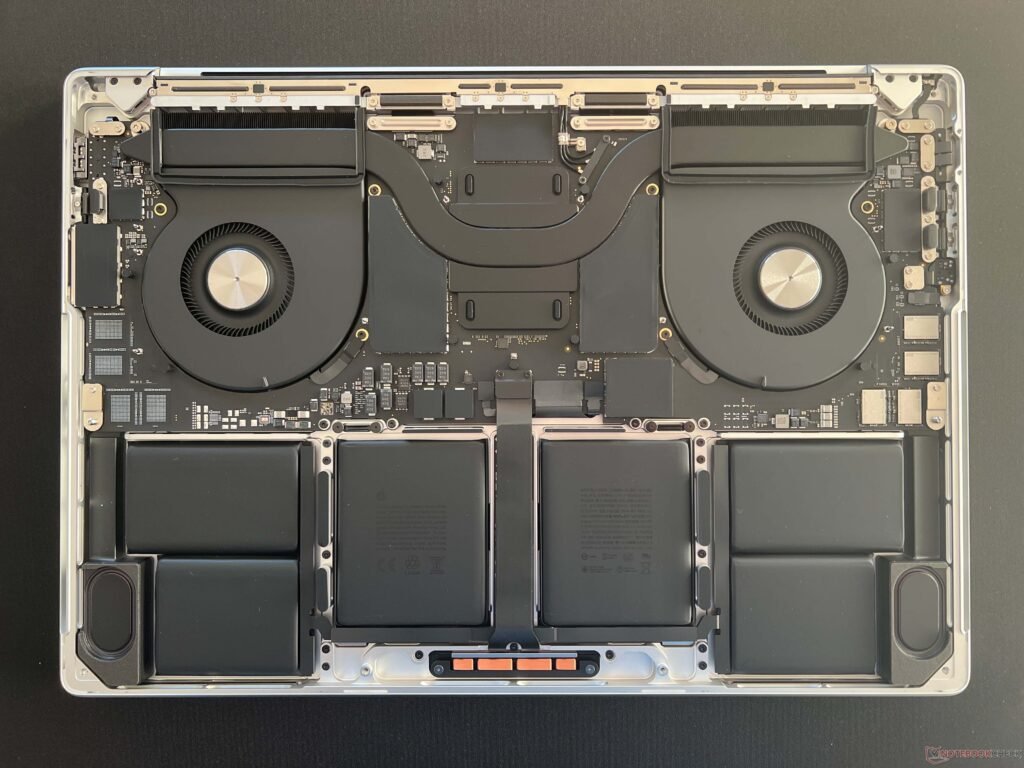
Against AMD, that puts it in the same broad neighborhood as a Radeon RX 7600 for general graphics work, though the two win different tests depending on the task.
Which laptop GPU does the M4 Pro match?
This is where the M4 Pro looks strongest. In creative and synthetic tests it lines up with a laptop RTX 4060, and in some 3D scores a laptop RTX 4070. Apple’s testing put it between the mobile 4060 and 4070 in Cinebench rendering.
| Workload | M4 Pro 20-core lands near |
|---|---|
| 3D rendering (Blender/Cinebench) | Laptop RTX 4060 to RTX 4070 |
| Synthetic 3D score | Laptop RTX 4070 |
| Native/optimized gaming | Laptop RTX 4050 to RTX 4060 |
| Emulated gaming | GTX 1660 Ti to RTX 4050 |
The M4 Pro punches above its class in rendering because unified memory lets the GPU tap up to 64GB, far more than the 8GB on most 4060 laptops.
Gaming: the reality behind the numbers
If you mainly want to game, temper your expectations. The problem isn’t the silicon, it’s the software. Very few games are built natively for Apple silicon, so most run through a translation layer that costs performance and sometimes breaks graphics entirely.
In practice, the M4 Pro handles many 2023 and 2024 titles at 1080p on medium settings, landing somewhere between a GTX 1660 Ti and an RTX 4050 in real frame rates. Console-wise, that puts it roughly between a PlayStation 5 and an Xbox Series S. It’s capable, but a similarly priced gaming laptop with a real RTX 4060 will run more games, faster, with fewer headaches.
Video editing and 3D work: where it shines
For video and creative work, the M4 Pro often beats its gaming equivalent by a wide margin. It has dedicated media engines that decode and encode H.264, H.265, and AV1 in hardware, which makes timeline scrubbing and exports in Final Cut Pro and Premiere feel faster than the raw GPU number suggests.
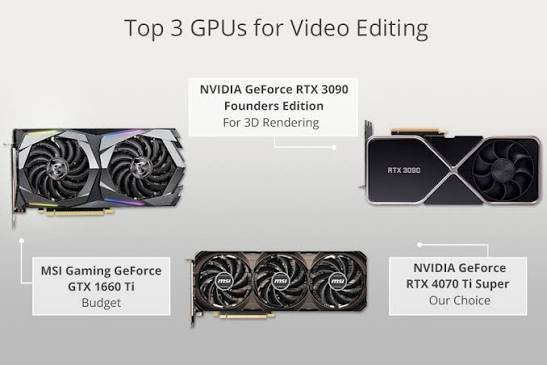
In Blender and other renderers, the 20-core GPU competes with a laptop RTX 4070 while sipping power. For a creator who edits 4K footage or does moderate 3D, this is the sweet spot: quiet, cool, and quick at the tasks that pay the bills.
AI and machine learning work
For local AI, the M4 Pro’s edge is memory, not raw speed. Because the GPU shares up to 64GB of unified memory with the CPU, it can load larger language models than an 8GB or 12GB NVIDIA card can hold at all. A discrete RTX 4060 will often run a small model faster, but it simply can’t fit the bigger ones.
So for training and heavy CUDA workflows, NVIDIA still wins on ecosystem and speed. For running large models locally on a laptop, the M4 Pro’s memory pool is a genuine advantage. Apple documents its GPU capabilities on its Mac tech specs pages.
Does the “equivalent” even matter for you?
The single most useful thing to know is that one number can’t describe this GPU. It behaves like a 4070-class card in rendering, a 4060 in general graphics, and a 4050 in native gaming. Pick the row in the table above that matches your actual work, and use that as your anchor.
If your day is editing, 3D, and running local AI, the M4 Pro is excellent and efficient. If your day is native PC gaming, a Windows machine with a real RTX 4060 is the better buy for the money.
Frequently asked questions
Is the M4 Pro GPU better than an RTX 4060?
It depends on the task. In rendering and 3D benchmarks the M4 Pro often matches or beats a laptop 4060. In native gaming, a real RTX 4060 is usually faster because of dedicated memory and higher power.
What NVIDIA card is the M4 Pro closest to?
A laptop RTX 4060 for most graphics work, reaching RTX 4070 levels in some 3D tests. On the desktop side it lands between an RTX 4060 and RTX 4060 Ti.
Is the M4 Pro good for gaming?
It’s capable but not ideal. It runs many games at 1080p medium, around GTX 1660 Ti to RTX 4050 speeds, but few titles are built natively for Mac, so a gaming PC runs more games faster.
What’s the difference between the 16-core and 20-core M4 Pro GPU?
The 20-core version is about 7 to 15 percent faster and has two extra CPU cores. Both share the same 273 GB/s memory bandwidth and the same rough GPU equivalents.
Can the M4 Pro run local AI models?
Yes, and it’s a real strength. Up to 64GB of shared unified memory lets it load larger models than an 8GB or 12GB NVIDIA card can hold, though a discrete GPU may run smaller models faster.
Conclusion
The M4 Pro 20-core GPU is best understood as a laptop RTX 4060-to-4070 for creative work and a desktop card sitting between an RTX 4060 and 4060 Ti overall, dropping to RTX 4050 levels in native games. If you edit video, render 3D, or run local AI models, it’s a strong, power-sipping choice. If pure gaming is the goal, a real RTX 4060 machine will serve you better. Match the equivalent to your task, not to a single benchmark.
Related Post:
Can You Use an AMD CPU With an Nvidia GPU?
Should You Overclock Your GPU? An Honest 2026 Answer
Do FreeSync Monitors Work With NVIDIA GPUs? Yes, Here’s How
Does Undervolting a GPU Decrease Performance? Here Is What Actually Happens
Cooling a GPU With a CPU Cooler: What Actually Works and What Breaks
![Fix GPU memory leak [Forge/Fabric]: what it does and how to install it](https://nobelspot.com/wp-content/uploads/2026/08/GPU-Fan-Speed-33.jpg)