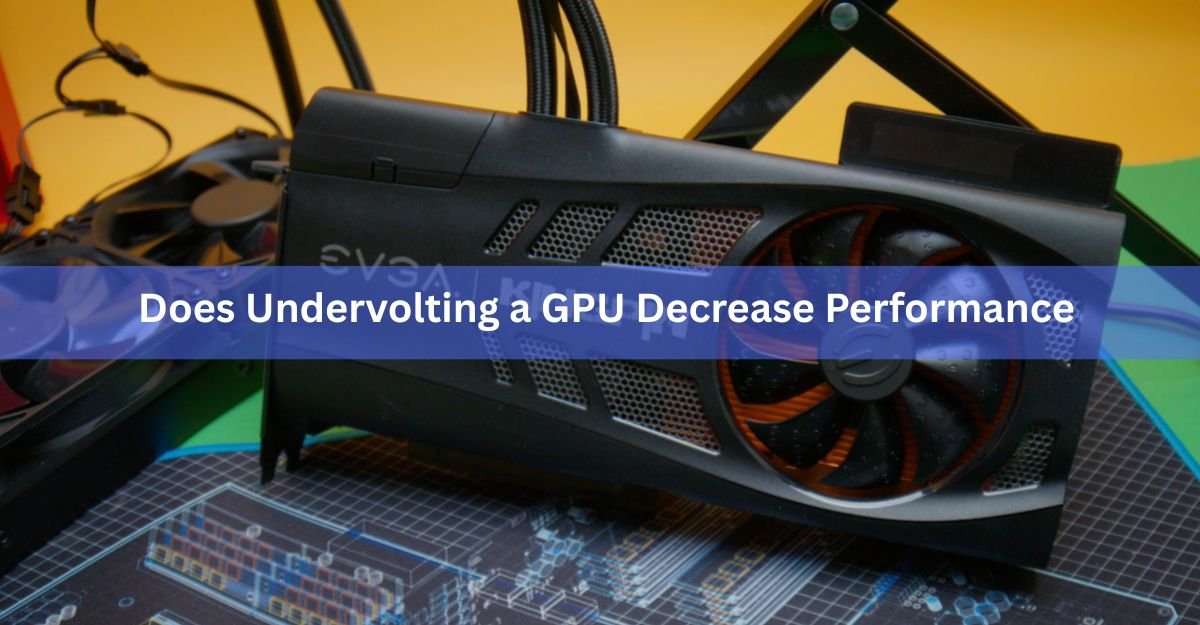
No, a properly done undervolt does not decrease your GPU’s performance. Undervolting lowers the voltage your graphics card uses while keeping its clock speeds the same, and clock speed is what decides your frame rate. Feed the chip less voltage at the same speed and you get the same FPS with less heat, less power draw, and quieter fans. On many cards, performance actually goes up a little, because a cooler card holds its boost clocks for longer.
There is a catch, though, and it is the reason this question gets asked so often. Push the voltage too low and the card becomes unstable, which shows up as crashes, stutters, or a real drop in frames. This guide explains why a good undervolt costs you nothing, when it can even gain you performance, and exactly where the line sits between a free win and a self-inflicted slowdown.
What undervolting actually does to your GPU
Undervolting means telling your graphics card to run its normal clock speeds at a lower voltage than the factory setting. You are not slowing the chip down. You are only reducing how much electrical pressure it uses to hit the speeds it was already hitting.
This works because of how GPUs are made. Every chip that comes off a production line is slightly different. Some need more voltage to run stable, some need less. NVIDIA, AMD, and Intel cannot tune each chip individually, so they pick one voltage setting high enough that every single unit, including the worst one in the batch, runs stable in a hot case on a summer day. That safety margin is baked into every card.
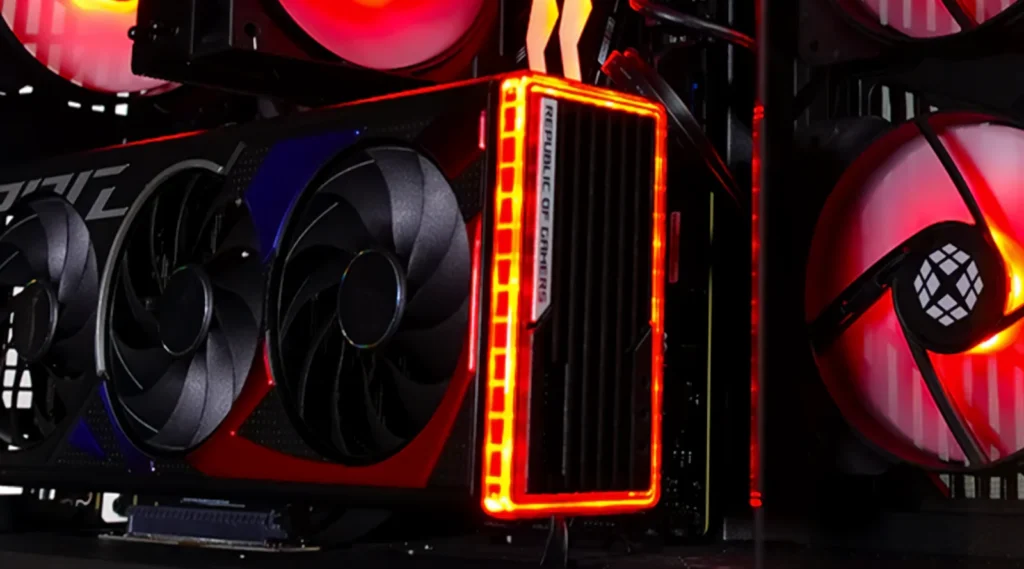
Your specific card almost certainly does not need all of that margin. Most modern GPUs can drop somewhere between 50 and 150 millivolts (a millivolt is a thousandth of a volt) below stock and keep running at full speed. The extra voltage they ship with is insurance for the whole product line, not a requirement for your chip.
Voltage has an outsized effect on power and heat. Power draw scales roughly with the square of voltage, so even a small voltage cut produces a noticeably cooler, more efficient card. That is the whole trade: same speed, less waste.
Why your FPS stays the same after an undervolt
Performance comes from clock speed. If your GPU runs a game at 2,600 MHz before an undervolt and 2,600 MHz after it, your frame rate is the same. The card is doing the same number of calculations per second either way. Voltage only determines how much heat and power it burns while doing them.
This is the single most useful fact in this whole topic. Lower voltage sounds like lower performance, but voltage and speed are two separate dials. An undervolt turns down the voltage dial and leaves the speed dial alone. An underclock turns down the speed dial, and that is a different thing entirely (more on that below).
Modern GPUs also manage their own speed constantly. NVIDIA cards use GPU Boost, and AMD cards use a similar boost algorithm. Both watch temperature and power draw in real time and adjust the clock speed to stay inside their limits. When the card gets hot or hits its power cap, the algorithm shaves clock speed to compensate.
An undervolted card generates less heat and pulls less power at the same speed, so it bumps into those limits later, or not at all. That means the boost algorithm has less reason to pull clocks down. In practice, a well-tuned undervolt usually delivers frame rates within 1 to 2 percent of stock, and very often identical to it.
Key takeaway: clock speed sets your FPS, voltage sets your heat. An undervolt changes the second one, not the first.
When undervolting actually increases performance
On plenty of cards, an undervolt is a small free performance gain, not just a neutral trade. This happens whenever the stock card was being held back by its own heat or power limit.
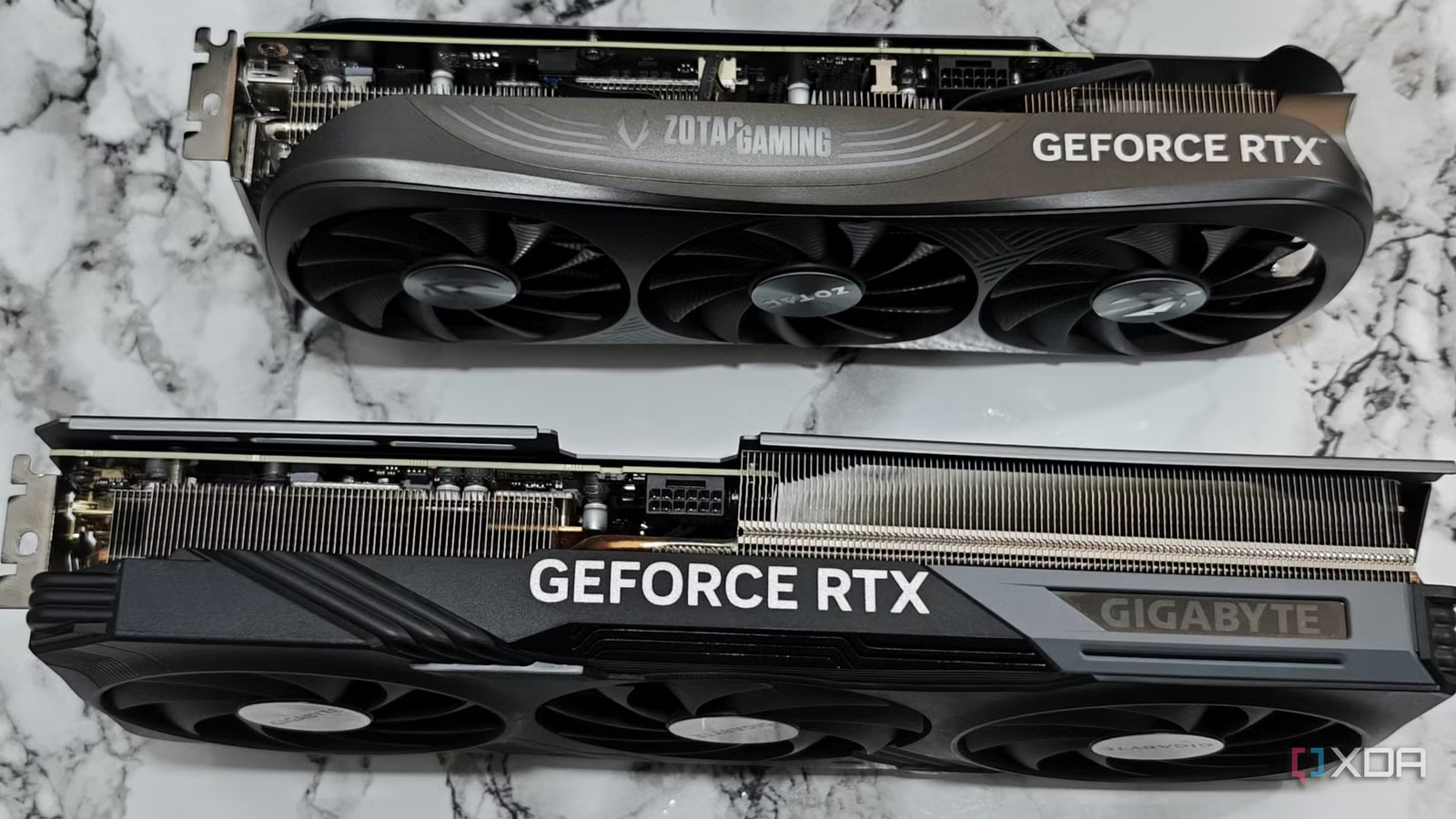
High-end cards are the clearest case. A card like an RTX 4090 or an RX 7900 XTX ships with a power limit of 350 watts or more and runs hot under sustained load. At stock voltage, the boost algorithm regularly hits the power cap and trims clock speed to stay under it. Cut the voltage and each clock cycle costs less power, so the card can sustain higher clocks inside the same power budget.
The numbers from real tuning sessions make the point. An RX 9070 XT undervolted by 80 millivolts boosted from around 2.6 GHz to nearly 2.78 GHz under load, which translated to gains of 2 to 4 percent in benchmarks like Port Royal and games like Cyberpunk 2077. An older RTX 2070 Super held its benchmark score while its average clock rose from 1,872 MHz to 1,924 MHz, all while drawing about a third less power. An RX 6800 XT tuned in AMD’s own software matched its stock performance while dropping from roughly 270 watts to 200 watts.
Laptops and small-form-factor PCs benefit even more. Their coolers are small, so their GPUs spend a lot of time thermally throttled, meaning the chip slows itself down to avoid overheating. Remove a chunk of the heat and you remove a chunk of the throttling. Laptop GPUs commonly see temperature drops of 15 degrees Celsius or more from an undervolt, and sustained gaming clocks rise with it.
If your card already runs cool and never touches its power limit, an undervolt will not raise your FPS. You still get lower temperatures, lower power bills, and quieter fans, which is not a bad consolation prize for a free tweak.
When undervolting does decrease performance
There are two real ways an undervolt costs you performance, and both are avoidable.
1. The voltage is too low to be stable
Every chip has a floor. Go below the voltage your silicon needs for a given clock speed and the card starts making mistakes. The obvious failures are crashes to desktop, black screens, driver resets, and visual artifacts like flickering textures or colored sparkles.
The sneaky failure is worse: the card stays running but has to correct errors on the fly, or drops to a lower boost step to save itself. You do not get a crash, you get stutter, worse 1 percent low frame rates, and benchmark scores a few percent under stock. A borderline undervolt can look fine in a menu and fall apart twenty minutes into a demanding game. If your FPS dropped 5 to 10 percent after undervolting, the voltage is too aggressive, and raising it by 10 to 25 millivolts usually fixes it.
2. It is not really an undervolt, it is a power limit cut
Some tuning software offers a power limit slider, and dragging it down is sometimes described as undervolting. It is not the same thing. Lowering the power limit caps how many watts the card may draw, and the card obeys by lowering its clock speed whenever it hits that cap. That is a controlled performance reduction by design.
It can still be a sensible trade. An RTX 4090 set to a 70 percent power limit loses only about 4 percent of its performance while cutting heat and power dramatically, because the last hundred watts a high-end card burns buys very little extra speed. But you should know you are trading a few frames for efficiency. A true undervolt, done through the voltage-frequency curve, aims to keep full clocks and full performance.
So the honest answer to the question splits cleanly: a stable curve-based undervolt does not decrease performance, an unstable one does, and a power limit cut does by design, usually by a small and predictable amount.
Undervolting vs underclocking vs lowering the power limit
These three get mixed together constantly, and the confusion is where most of the fear of losing performance comes from. Here is how they differ.
| Method | What it changes | Effect on FPS | Best for |
| Undervolting | Lowers voltage, keeps clock speeds | None when stable, sometimes a small gain | Cutting heat and noise for free |
| Underclocking | Lowers clock speeds directly | Direct FPS loss in step with the clock cut | Old cards with failing coolers, extreme quiet builds |
| Power limit cut | Caps total watts, card lowers clocks to comply | Small, predictable loss (often 2 to 5 percent per big power cut) | Quick one-slider efficiency with no tuning |
Undervolting is the only one of the three that targets waste instead of speed. Underclocking gives up performance on purpose. A power limit cut gives up a little performance in exchange for simplicity. A tuned undervolt gives up nothing, which is why it has become the default first tweak for modern GPUs.
What results should you expect? Real numbers
Results vary card to card because every chip wins a different ticket in the silicon lottery, but tested results across recent NVIDIA and AMD cards cluster in a fairly tight band.
| Metric | Typical result from a stable undervolt | Notes |
| Frame rate | 0 to 2 percent change, often none, sometimes a small gain | Gains appear on cards that were heat or power limited |
| Temperature | 5 to 15 degrees Celsius lower under load | Laptops and hot-running cards can drop more |
| Power draw | Roughly 15 to 25 percent lower | 40 to 90 watts on high-end desktop cards |
| Fan noise | Noticeably quieter | Less heat means fans spin slower for the same temps |
A concrete example makes the band feel real. A stock RX 7800 XT running at 82 degrees Celsius in a demanding game dropped to 71 degrees with a 50 millivolt undervolt, drew about 40 watts less, and delivered the same frame rate. That is the typical shape of a good result: the performance column stays flat while everything else improves.
The power savings also add up on your electricity bill. A card that pulls 60 fewer watts for 20 hours of gaming a week saves over 60 kilowatt-hours a year, enough to notice in a region with expensive power.
How to undervolt without losing FPS
The method below is the curve-based approach, the one that keeps full clock speeds. Set aside an hour the first time. The settings live in software, reset with a click, and cannot physically damage the card, since you are giving it less electricity than it is rated for, not more.
- Benchmark your stock performance first. Run a built-in game benchmark or a free tool like Unigine Superposition or 3DMark, and write down the score, the average clock speed, and the peak temperature. This baseline is how you will prove you lost nothing.
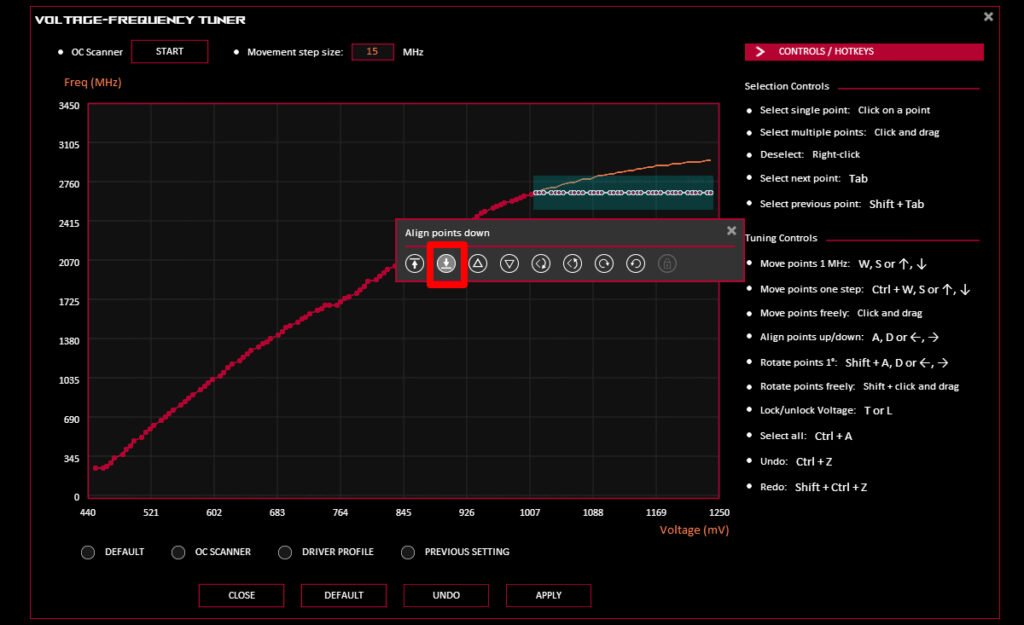
- Open your tuning tool. For NVIDIA cards, MSI Afterburner is free, works with every brand of card, and opens its voltage-frequency curve editor with Ctrl+F. For AMD cards, the controls are built into Adrenalin under Performance Tuning, which even includes a one-click automatic undervolt to start from.
- Make a small first cut. On the Afterburner curve, pick the point at a modest voltage (around 900 to 950 millivolts on most recent cards), drag it up to your card’s normal boost clock, and flatten the curve after it. On AMD, lower the voltage slider by 25 to 50 millivolts. Small steps are the whole trick.
- Stress test it. Run a 20 to 30 minute loop of a demanding benchmark, then play the heaviest game you own for a while. Watch for crashes, artifacts, and stutter, and keep an eye on clocks with the overlay or GPU-Z.
- Repeat until it fails, then step back. Keep cutting in 25 millivolt steps until you hit instability, raise the voltage one or two steps, and test again at length. That comfortably-stable point is your keeper.
- Re-run your baseline benchmark. Compare the score and average clock to stock. They should match within a percent or two. If the score dropped more than that, add voltage back until it recovers, then save the profile and set it to load on startup.
One practical note on warranties: undervolting leaves no trace on the hardware and the settings vanish the moment drivers reset, but manufacturers treat any manual tuning outside stock operating settings as at your own risk, so check your card maker’s terms if that matters to you.
Signs your undervolt went too far
An unstable undervolt does not always announce itself with a crash. Watch for these signals in the days after you dial in a profile:
- Games crash to desktop or the screen goes black, especially in demanding scenes.
- The driver resets (screen flickers off and back, sometimes with a Windows notification).
- Visual artifacts appear: flickering textures, sparkles, or odd colored flashes.
- New stutter or hitching in games that used to run smoothly, even with a normal average FPS.
- Benchmark scores land a few percent below your stock baseline.
- One specific game crashes while everything else is fine. Some games load the chip in unusual ways and expose a borderline undervolt.
Every one of these has the same fix: raise the voltage by 10 to 25 millivolts and test again. None of them causes lasting harm. The worst case of an undervolt gone wrong is a reboot and a reset to stock settings.
Frequently asked questions
Does undervolting a GPU lower FPS?
Not when it is stable. An undervolt keeps your clock speeds, and clock speed is what determines FPS. Tested cards typically land within 1 to 2 percent of stock performance, often exactly matching it, and heat-limited cards sometimes gain a few percent.
Can undervolting damage my graphics card?
No. You are supplying less voltage than the card is rated for, not more, so there is no physical risk. The worst outcome of going too low is a crash or driver reset, which a reboot and a settings reset fully fix.
Why did my FPS drop after undervolting?
Either the voltage is too low to be stable, so the card is error-correcting or dropping to lower boost steps, or you lowered the power limit instead of the voltage curve. Raise the voltage by 10 to 25 millivolts, or restore the power limit to 100 percent, and retest.
Is undervolting better than underclocking?
For almost everyone, yes. Underclocking directly lowers clock speeds, so it always costs performance. Undervolting lowers voltage while keeping speeds, so you get the same cooling and power benefits without giving up frames.
How much voltage should I reduce on my GPU?
Start with 25 to 50 millivolts below stock and test. Most modern cards end up stable somewhere between 50 and 150 millivolts under factory settings, but every chip is different, so find your card’s limit in small steps rather than copying someone else’s numbers.
Conclusion
A stable undervolt does not decrease GPU performance. Clock speed sets your frame rate, and an undervolt keeps clock speeds while cutting voltage, so you keep your FPS and shed heat, noise, and 15 to 25 percent of your power draw. Cards that were throttling can even gain a few percent. Performance only drops if the voltage is unstable or you cut the power limit instead. Tune in small steps, test properly, and confirm against a stock benchmark, and the tweak costs you nothing.
Related Post :
Should You Use Hardware-Accelerated GPU Scheduling? A Plain 2026 Answer
AMD Ryzen Z2 Extreme GPU Equivalent: What Desktop Card It Matches
How to Undervolt a GPU with MSI Afterburner (Cooler, Quieter, Same FPS)