You need a GPU support bracket if your graphics card weighs around 1.5 kg (3.3 lb) or more, or if you can see the back end drooping below the front. If your card is lighter than that and sits level once the rear screws are tight, you can skip it. The card and the slot are built to carry a normal load without help.
That is the whole decision for most people. The rest of this guide shows you how to weigh up your own build in a few minutes: what sag actually is, where the real weight line sits with current cards, a quick check you can do with a ruler, and which kind of bracket to buy if you do need one.
What is GPU sag, and why does it happen?
GPU sag is the downward tilt of a graphics card inside a PC case. It happens because a card is held at only two points: the PCIe slot on the motherboard, and one or two screws at the rear bracket where the display ports come out. Everything else hangs in the air.
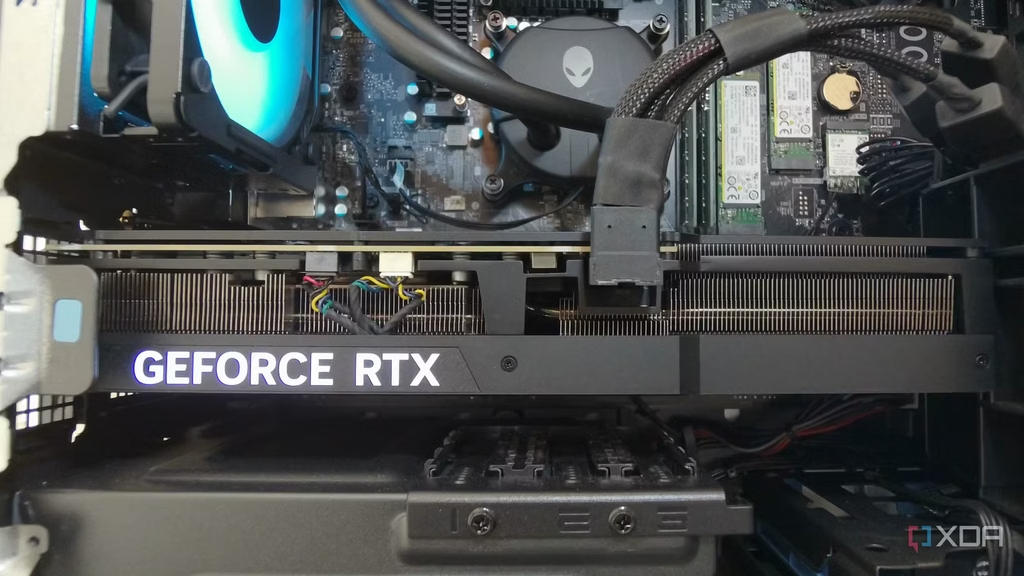
In a normal tower case, the motherboard stands upright, so the card sticks out sideways like a diving board. A 30 cm card with a heavy metal cooler puts most of its weight far from the slot. Gravity pulls the free end down, the circuit board flexes a little, and the slot end gets twisted. That is the strain a bracket removes.
Modern cards make this worse for one simple reason. A card that draws 300 to 600 watts needs a big heatsink and two to four fans to stay cool, and that cooler is nearly all of the card’s weight. A small dual-fan card from a few years ago weighed well under a kilogram. Today’s flagship cards weigh two to three times that.
How heavy does a card have to be before you need a bracket?
Roughly 1.5 kg is the point where a bracket goes from optional to sensible, and anything near 2 kg or above should get one without debate. Below about 1 kg, sag is usually a few millimetres at most and does no harm.
Here is where some current and recent cards land. Weights are for the models named; partner cards with bigger coolers are usually heavier than the reference version.
| Card | Weight (about) | Bracket? |
|---|---|---|
| NVIDIA RTX 5090 Founders Edition | 1.8 kg | Yes, or a vertical mount |
| NVIDIA RTX 4090 Founders Edition | 2.2 kg | Yes |
| ASUS ROG Astral RTX 5090 (air cooled) | About 3 kg | Yes, and one comes in the box |
| Typical triple-fan RTX 5070 Ti / RX 9070 XT partner card | 1.2 to 1.6 kg | Worth it if you see droop |
| Compact dual-fan mid-range card | Under 1 kg | Usually not needed |
Weight is not the only factor. Length matters too, because a longer card puts the same weight further from the slot, which raises the twisting force. A 1.4 kg card that is 34 cm long can droop more than a 1.6 kg card that is 28 cm long. If your card is both long and heavy, treat it as a yes.
Quick rule: over 1.5 kg or over 33 cm long, get a bracket. Under 1 kg and under 28 cm, leave it alone. In between, do the ruler check below and decide from what you see.
How do you check whether your card is sagging too much?
Lay a straight edge along the top of the card and measure the gap at the far end. A drop of 2 to 3 mm from the slot end to the tail end is normal for a big card and nothing to worry about. A drop of 5 mm or more, or a visible bend in the circuit board itself, is the point to act.
Before you measure, make sure both rear screws are fitted and snug. A surprising amount of “sag” is just one loose or missing screw. Also check that the card is fully seated in the slot: the plastic latch at the end of the slot should have clicked shut over the card’s edge.
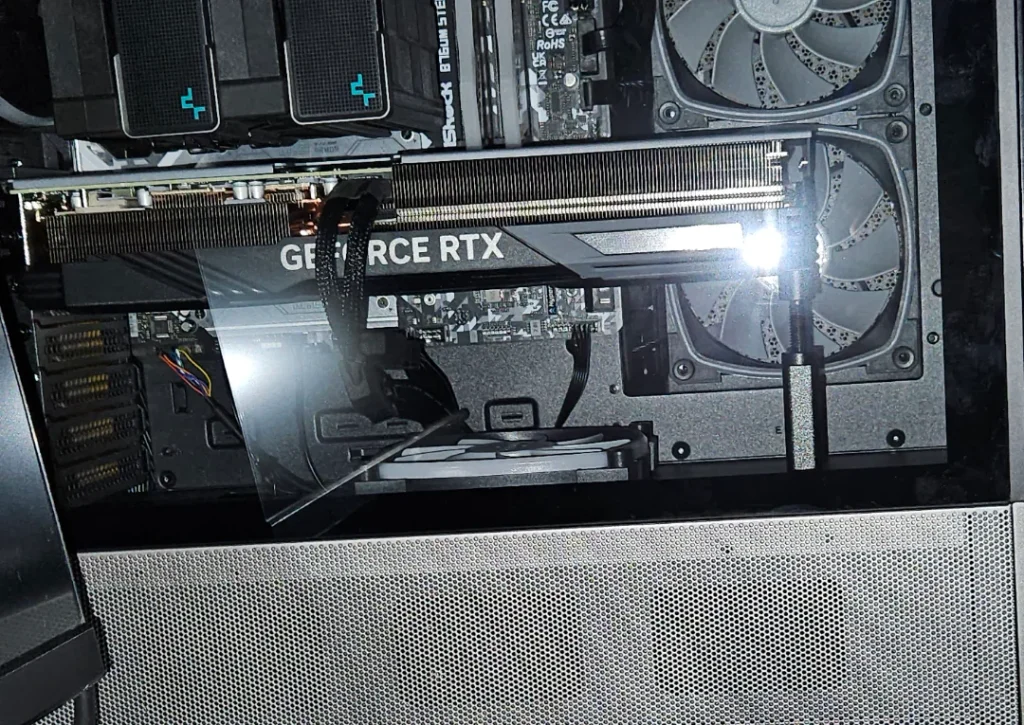
Then look at three spots:
- The slot end. The card should sit flat in the PCIe slot with no visible gap along the connector. A tilted connector is the main risk.
- The tail end. If the fan shroud is drooping close to the case floor or touching a lower slot cover, the leverage is high.
- The board itself. Look along the top edge of the card. It should be straight. A bowed board means the frame is not stiff enough to carry the cooler.
If the card passes all three, you are fine even without a bracket. If it fails any one, a bracket is cheap insurance.
Does a small amount of sag actually cause damage?
A few millimetres of sag will not hurt anything. PCIe slots are rated to hold a card, and the connector has some give built in. Plenty of cards run for years with a slight droop and never show a problem.
Heavy sag over a long time is a different story. The constant twisting load can crack solder joints at the slot, at the card’s own edge connector, or at surface-mounted parts near the slot end. Symptoms show up slowly: the card drops out at random, the display flickers, or the system stops seeing the GPU until you reseat it. On the motherboard side, the slot can pull away from the board, and that repair is rarely worth doing.
Motherboard makers have added reinforcement for this reason. MSI, for example, fits its Steel Armor slots with a metal shell and extra solder points to carry heavy cards, and several ASUS and Gigabyte boards have similar reinforced slots. A reinforced slot lowers the risk, but it does not remove the flex in the card itself, so a 2 kg card still benefits from support.
Sag also affects cooling, a little. When the shroud tilts, the fans sit at an angle and the gap under the card changes. The temperature difference is usually one or two degrees, so this is a minor point next to the mechanical strain.
Which kind of GPU support bracket should you get?
The best bracket is the one that fits your case, holds the card at the tail end, and stays out of the fan intake. There are five common types, and the cheapest one is often the right one.
| Type | How it works | Good for | Watch out for |
|---|---|---|---|
| Telescoping post | A screw-adjustable metal post stands on the case floor and props the tail of the card | Almost any tower case; cheapest option at about $8 to $15 | Needs a flat floor; can slip if the case is moved |
| Magnetic post | Same as above, with a magnetic base that grips the steel floor | Cases with a steel floor; quick to reposition | Will not stick to aluminium or plastic floors |
| Slot-mounted arm | A bar screws into unused rear expansion slots below the card and a small platform lifts the card | Clean builds; very stable; some have RGB | Needs one or two free slots below the card |
| Bundled bracket | Comes in the box with heavy partner cards, often a screw-in or slot-mounted brace | Any card that ships with one; fitted to that card | Sometimes fiddly to fit; check the manual |
| Vertical mount kit | Turns the card upright with a riser cable so it stands on the slot rather than hanging off it | Showcase builds and very heavy cards | Costs $30 to $80; needs a PCIe 4.0 or 5.0 rated riser; can raise temps in tight cases |
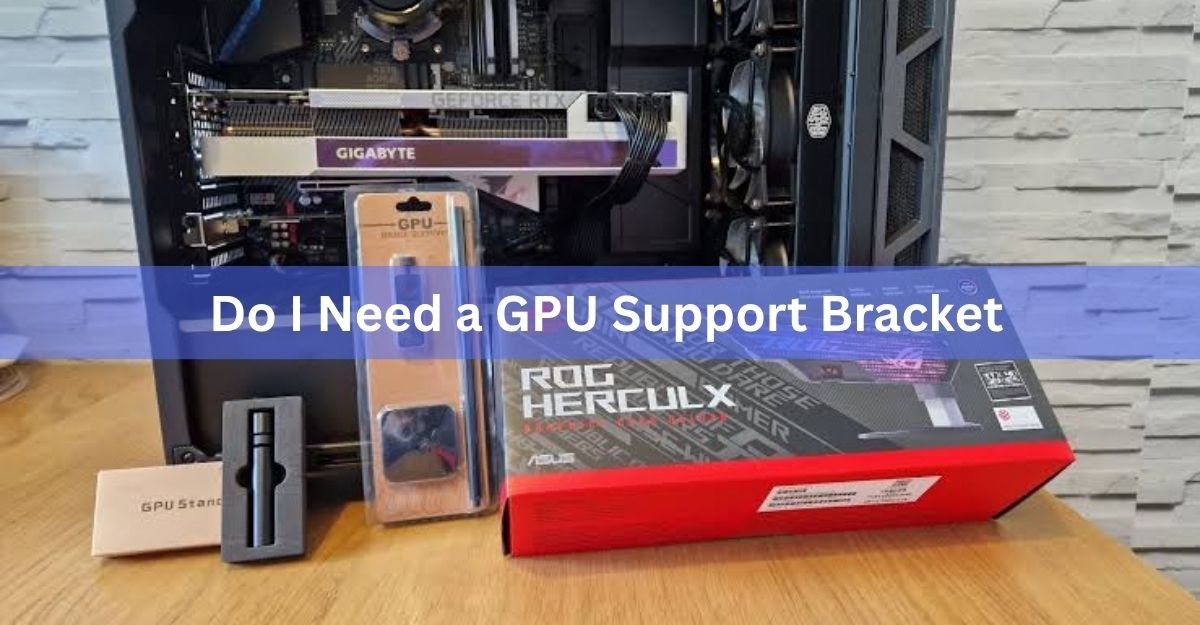
If you want a tidy, stable option, a slot-mounted arm such as the ROG Strix Graphics Card Holder anchors into the empty expansion slots under the card and slides to meet the card wherever it needs support. If you just want the problem gone for the price of a coffee, a plain telescoping post does the same job with less style.
Whatever you choose, put the support near the tail of the card, away from the fans, and never under the middle of the fan shroud. A shelf that runs the full length of the card blocks the intake and can raise temperatures by a few degrees.
When can you skip the bracket?
You can skip a bracket in four common situations, and one of them applies to a lot of builds.
The card is light. Anything under about 1 kg, which covers most dual-fan mid-range and budget cards, does not need one.
The card is mounted vertically. Standing the card up removes the leverage entirely, so there is nothing to sag. This also covers cases where the motherboard lies flat, such as some test benches and desktop-style cases.
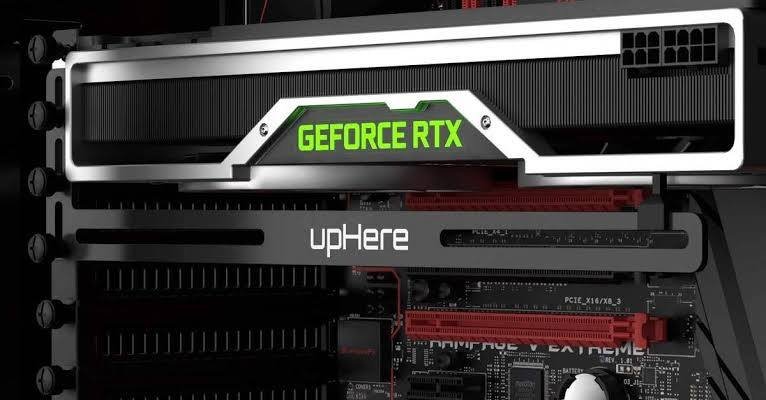
The card came with its own support. Many heavy partner cards ship with a brace in the box. The ASUS ROG Astral RTX 5090, for example, includes a card holder, and that card also carries a built-in motion sensor that warns you through the GPU Tweak software if the card starts to tilt. Fit the bundled part before you buy anything else.
The card passes the ruler check. If it sits level with both screws tight and no bend in the board, extra support adds nothing.
One more case: if you move the PC often, a bracket helps even with a mid-weight card. Bumps and drops multiply the load on the slot for a moment, and a post takes that hit instead of the connector.
How do you install a GPU support bracket the right way?
Fitting a post-style bracket takes about five minutes. The key is to lift the card just to level, not past it.
- Power down, unplug the PC, and lay the case on its side so the card sits flat and its own weight is off the slot.
- Check that both rear screws are tight and the card is fully clicked into the slot. Fix these first, because they may solve the sag on their own.
- Stand the case back up. Place the post under the card near the tail end, on the metal frame or backplate, not on a fan blade or the plastic shroud.
- Extend the post until it just touches the card. Then raise it a fraction more until the top edge of the card is straight when you sight along it.
- Do not push the card upward past level. Over-lifting twists the slot in the other direction and is just as bad as sag.
- Lock the post, tuck any cable out of the way, and recheck after a day. Some posts settle slightly once the case is moved.
Aim for straight, not raised. A card that is bent upward by a bracket is under the same kind of strain as one that is bent downward.
For a slot-mounted arm, follow the same idea: screw the bar into the free slots, slide the platform under the tail of the card, and raise it until the card is level. For a vertical mount, the card is held by the mount itself, so there is nothing to adjust once it is screwed in.
Frequently asked questions
Is a little bit of GPU sag okay?
Yes. A droop of 2 to 3 mm at the tail of a big card is normal and does no harm. The slot and the card are designed to handle that. Act when the drop reaches about 5 mm, or when you can see the circuit board itself bending.
Do GPU support brackets block airflow?
A single post near the tail end does not. A full-length shelf under the fans can raise temperatures by a few degrees because it sits in the intake. Place any support at the end of the card, away from the fan blades, and airflow is unaffected.
Does the RTX 5090 need a support bracket?
The Founders Edition weighs about 1.8 kg, so yes, a bracket or a vertical mount is a sensible choice. Partner versions are heavier still; the ASUS ROG Astral is around 3 kg and ships with its own holder. Fit whatever came in the box first.
Can I use a vertical mount instead of a bracket?
Yes. Standing the card upright removes the leverage that causes sag, so no bracket is needed. You will need a riser cable rated for your card’s PCIe generation and a case that supports vertical mounting, and you should watch temperatures if the card sits close to the glass panel.
Can I make my own GPU support?
You can. A cut-down pencil, a stack of plastic bricks, or a 3D-printed post all work if they sit on a solid part of the card’s frame and lift it only to level. Just avoid anything conductive touching the circuit board, and check that it cannot fall over when the case is moved.
Conclusion
Get a GPU support bracket if your card weighs around 1.5 kg or more, is longer than about 33 cm, or droops 5 mm or more at the tail with both rear screws tight. Skip it for light cards, vertical mounts, and cards that already ship with a brace. A $10 telescoping post or a slot-mounted arm placed near the tail end is all it takes, and a good result is a card that sits straight and stays that way.
Related Post:
Is 70°C Too Hot for a GPU? What the Number Really Means
Red Light on GPU When PC Is Off: What It Means and When to Worry
Client Server Runtime Process High GPU Usage: Why It Happens and How to Fix It
How to Know If Your GPU Is Failing: 7 Warning Signs and How to Test It
Satisfactory “GPU Crash Dump Triggered”: What It Means and How to Fix It